
For dealerships and rental fleets
We build your operations app, then help run it.
Custom software for vehicle businesses: trips, recon, tolls, listings, and guest messages in one place. Our operations team works the daily queue in it. Your managers keep every decision.
In daily use at a Southern California rental fleet and a luxury dealership.
Sound familiar?
Your day runs on texts, spreadsheets, and five logins.
- A car comes back late, and nobody notices until the next guest is waiting.
- Tolls post weeks after the trip, and nobody bills them back.
- A car sits at the recon vendor while its listing waits.
The software
One app, shaped around the jobs that fill your day.
We build it around how your lot or fleet already works, connect it to the systems you use, and keep changing it as the work changes.
Rental fleets
Trips and returns
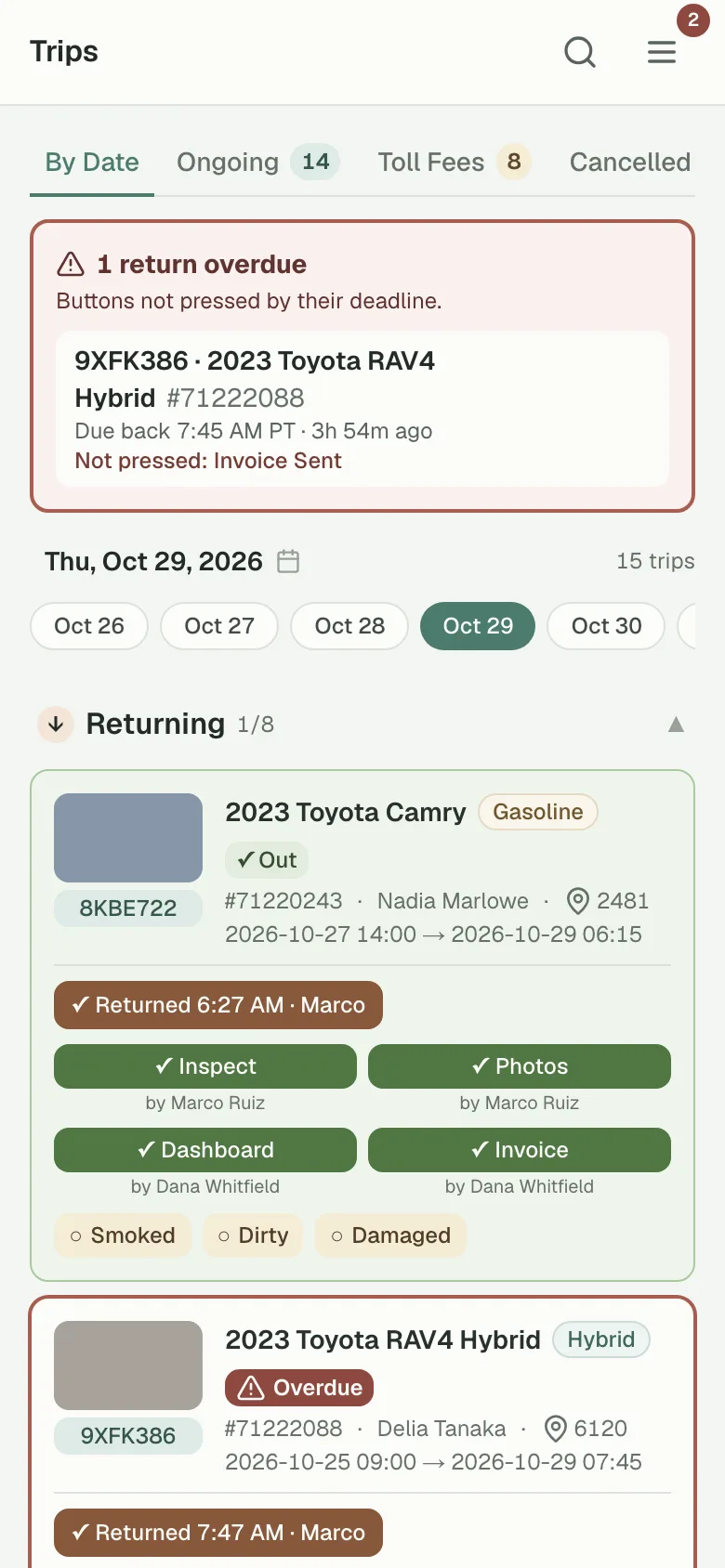
Every return on every phone. Late ones are flagged, and each check-in step shows who did it.
Guest messages
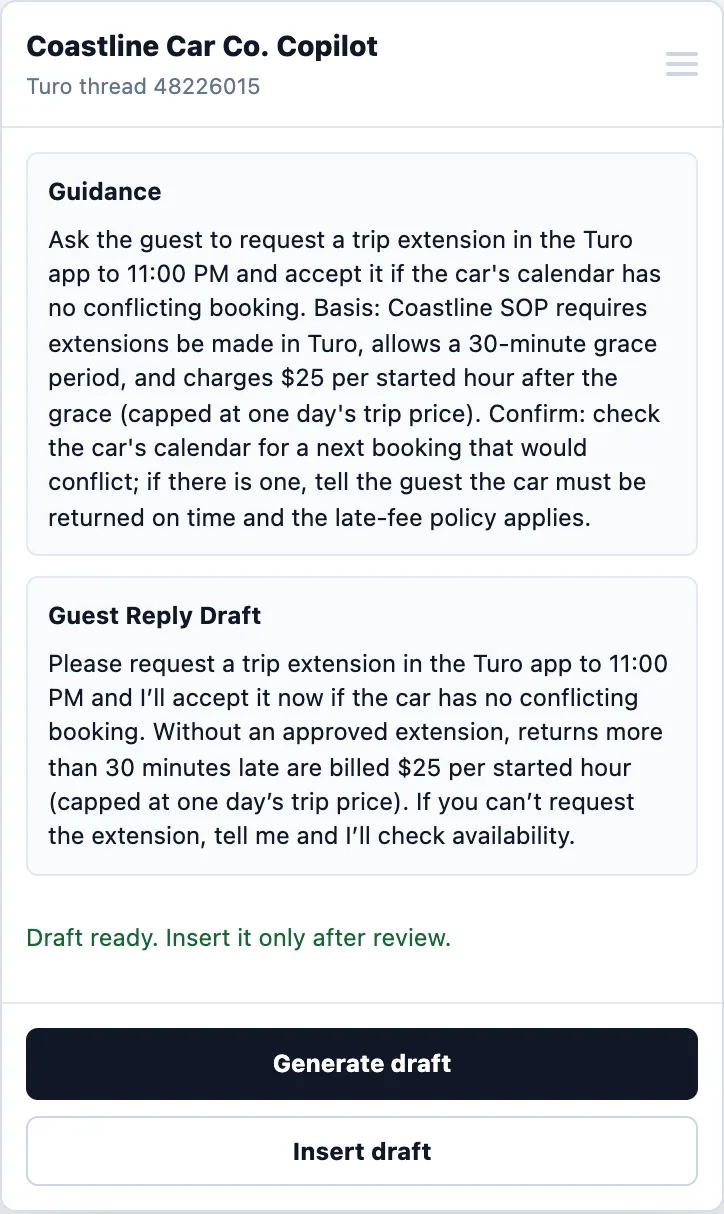
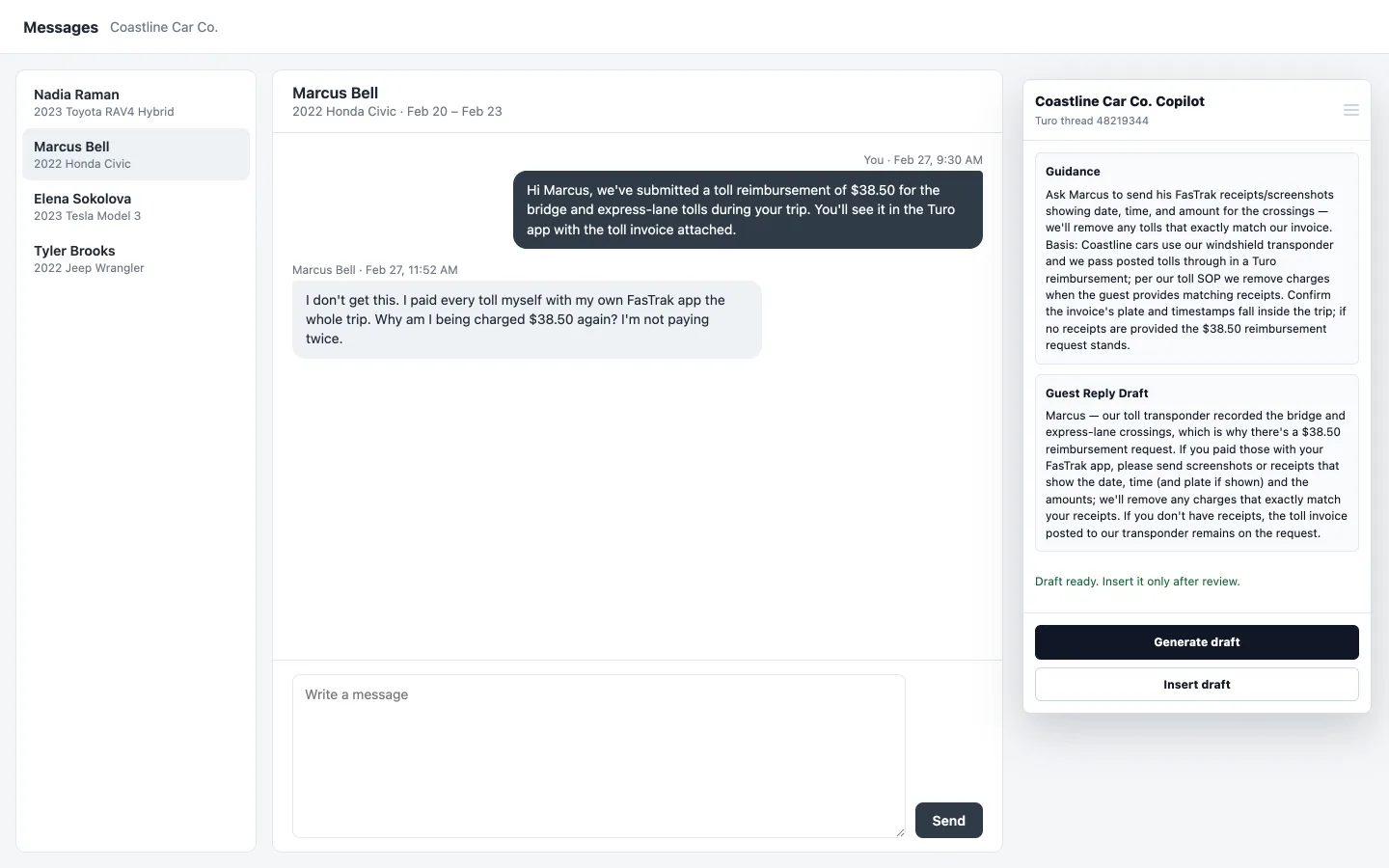
The reply copilot drafts answers from your own policies, like this toll dispute. Staff review every draft before it is sent.
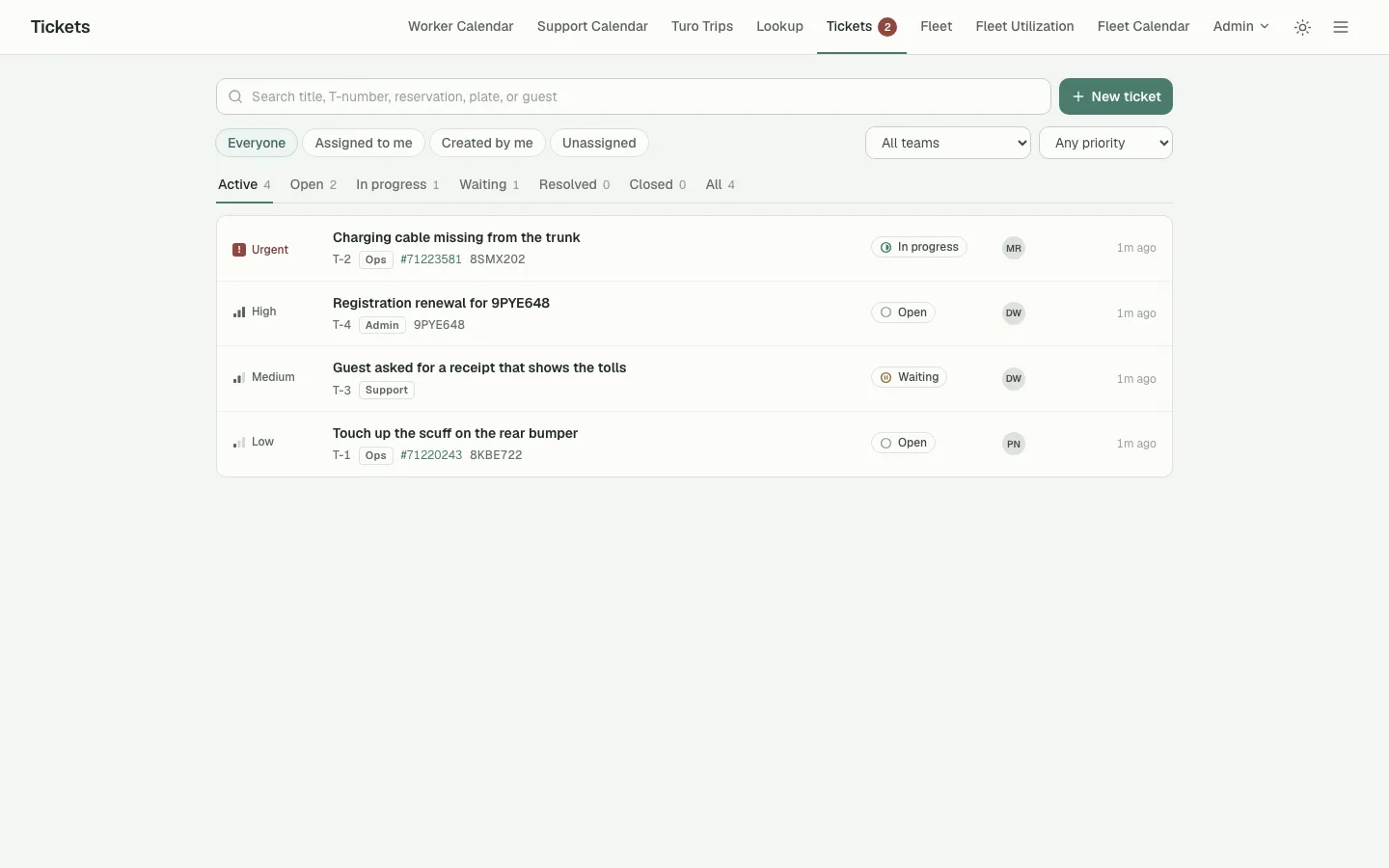
Issues and follow-ups
One queue for every open issue, from a missing charging cable to a registration renewal, each with a priority and an owner.
Tolls
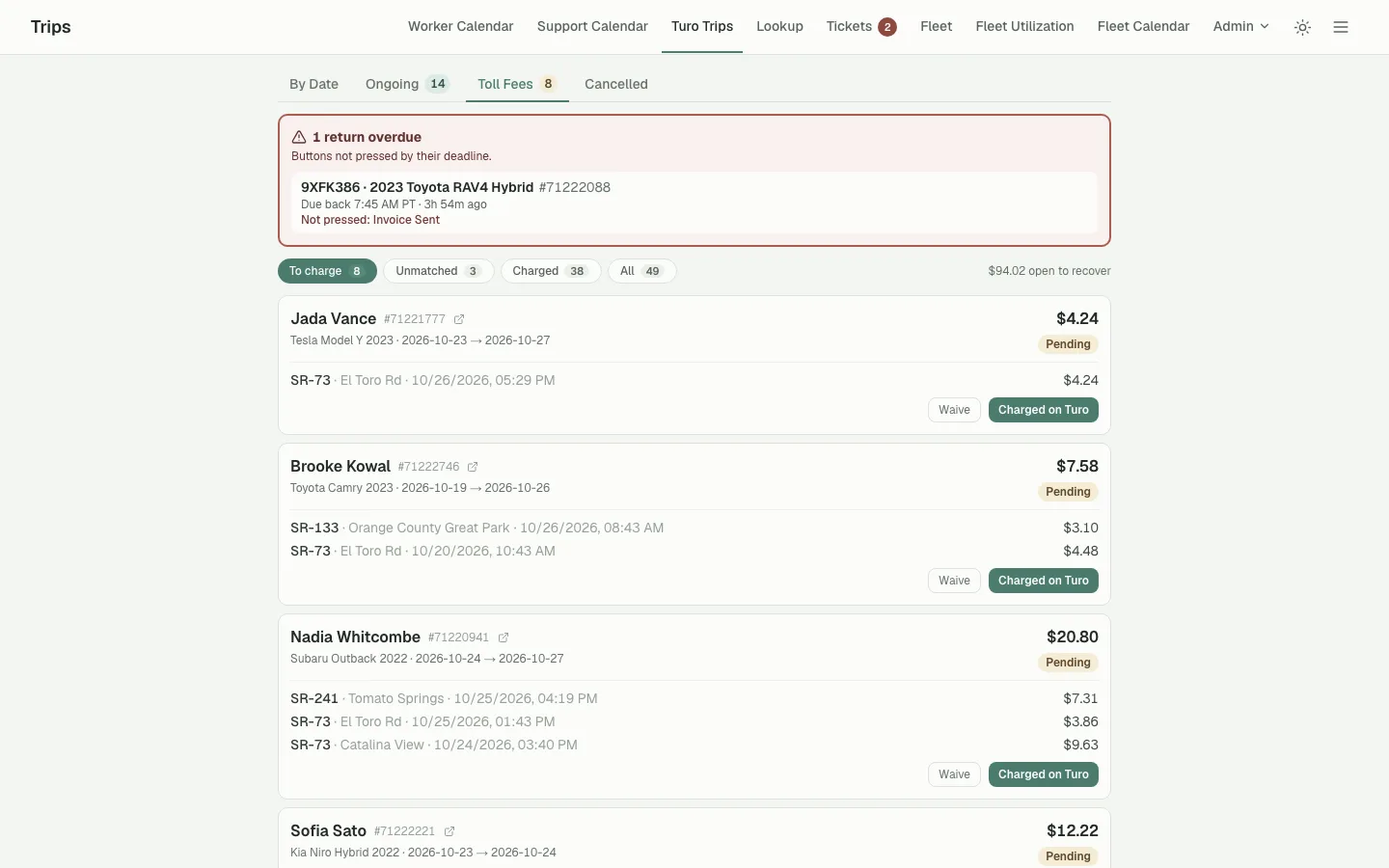
Tolls matched to trips, so you can see which guests to charge and how much is still open to recover.
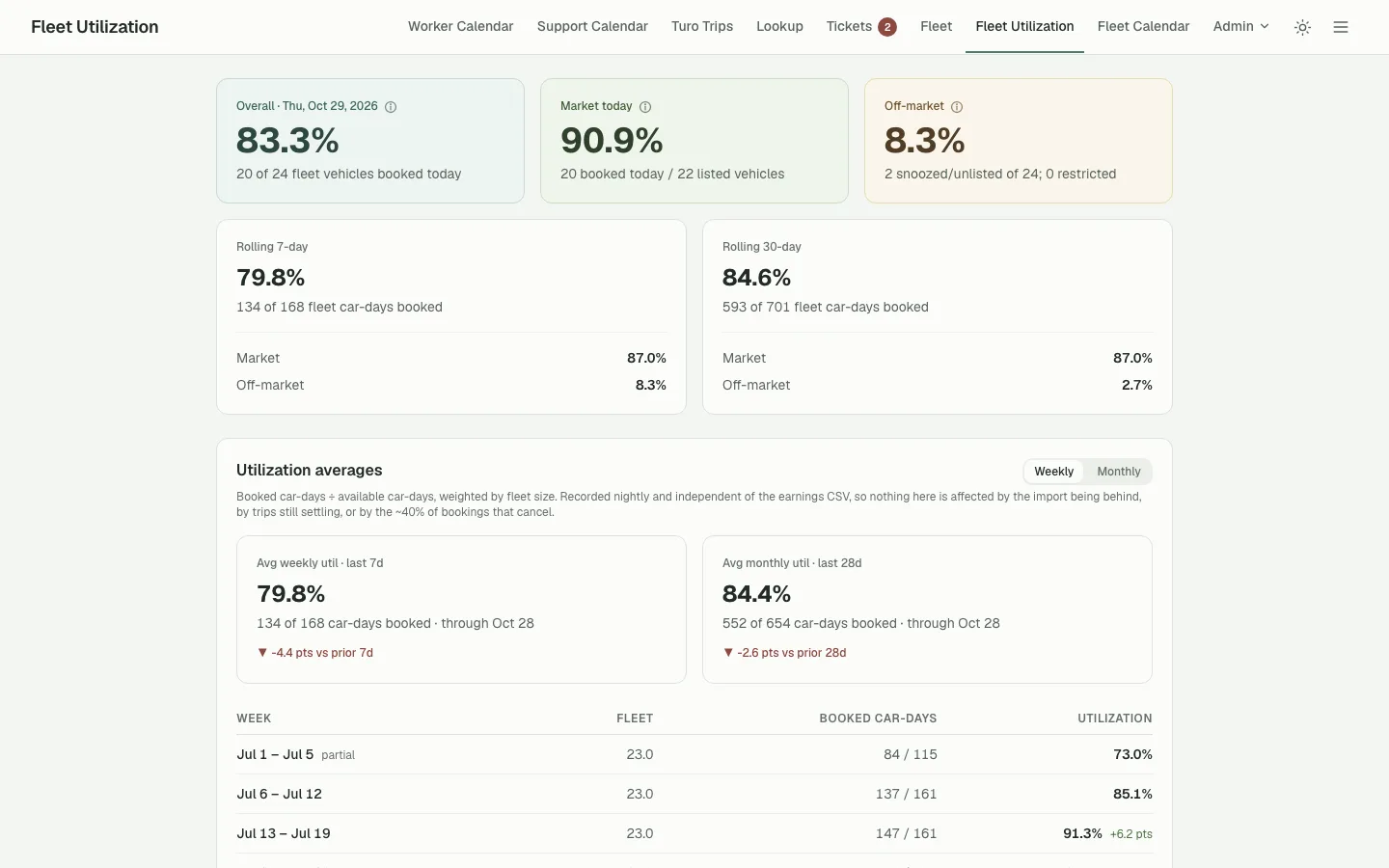
Fleet utilization
How much of the fleet is booked today, and over the last 7 and 30 days.
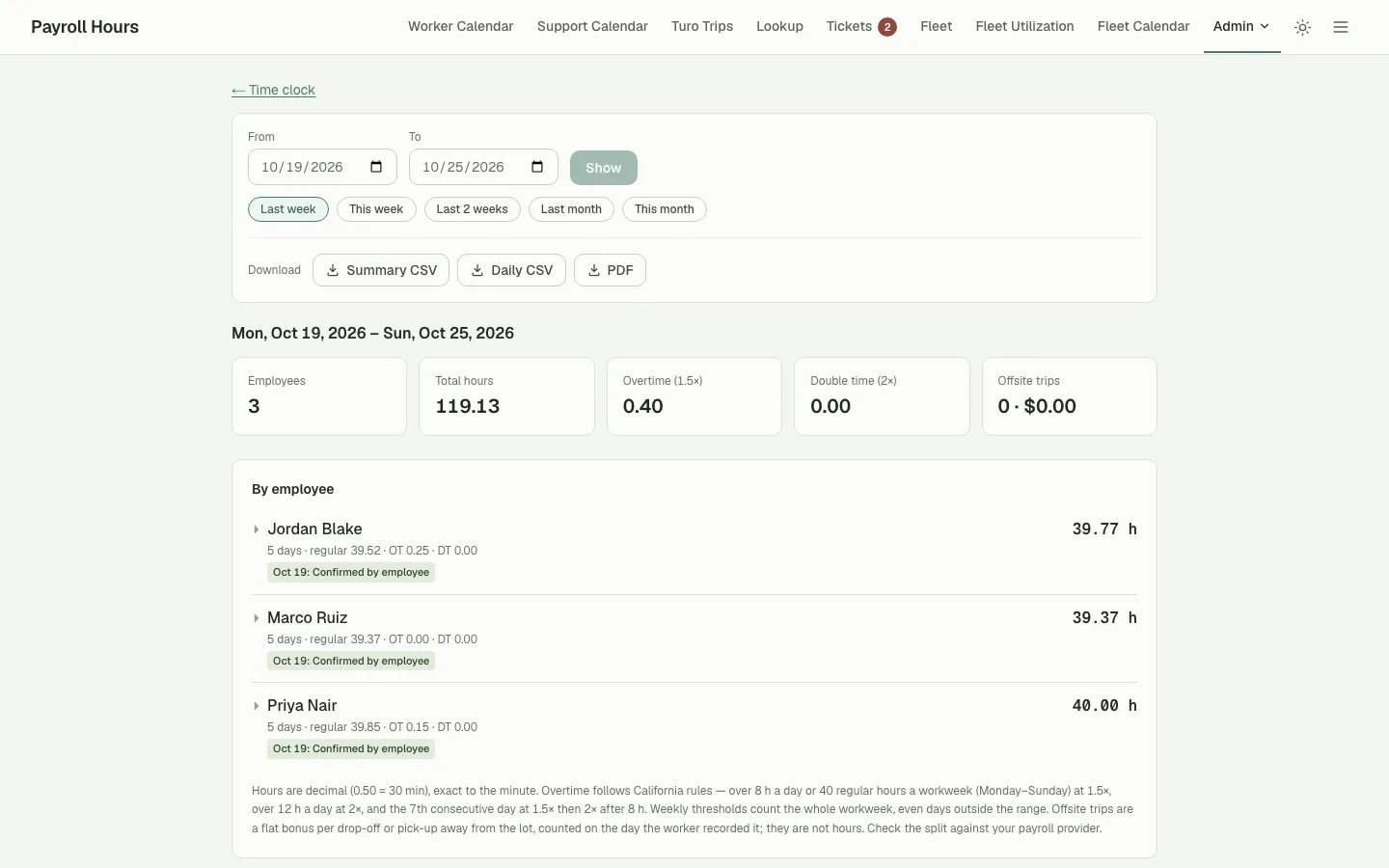
Time clock and payroll
Weekly hours and overtime from the time clock, ready to download for payroll.
Real screens from software we built, shown with an invented demo host, Coastline Car Co. Every name, plate, and amount is made up.
Dealerships
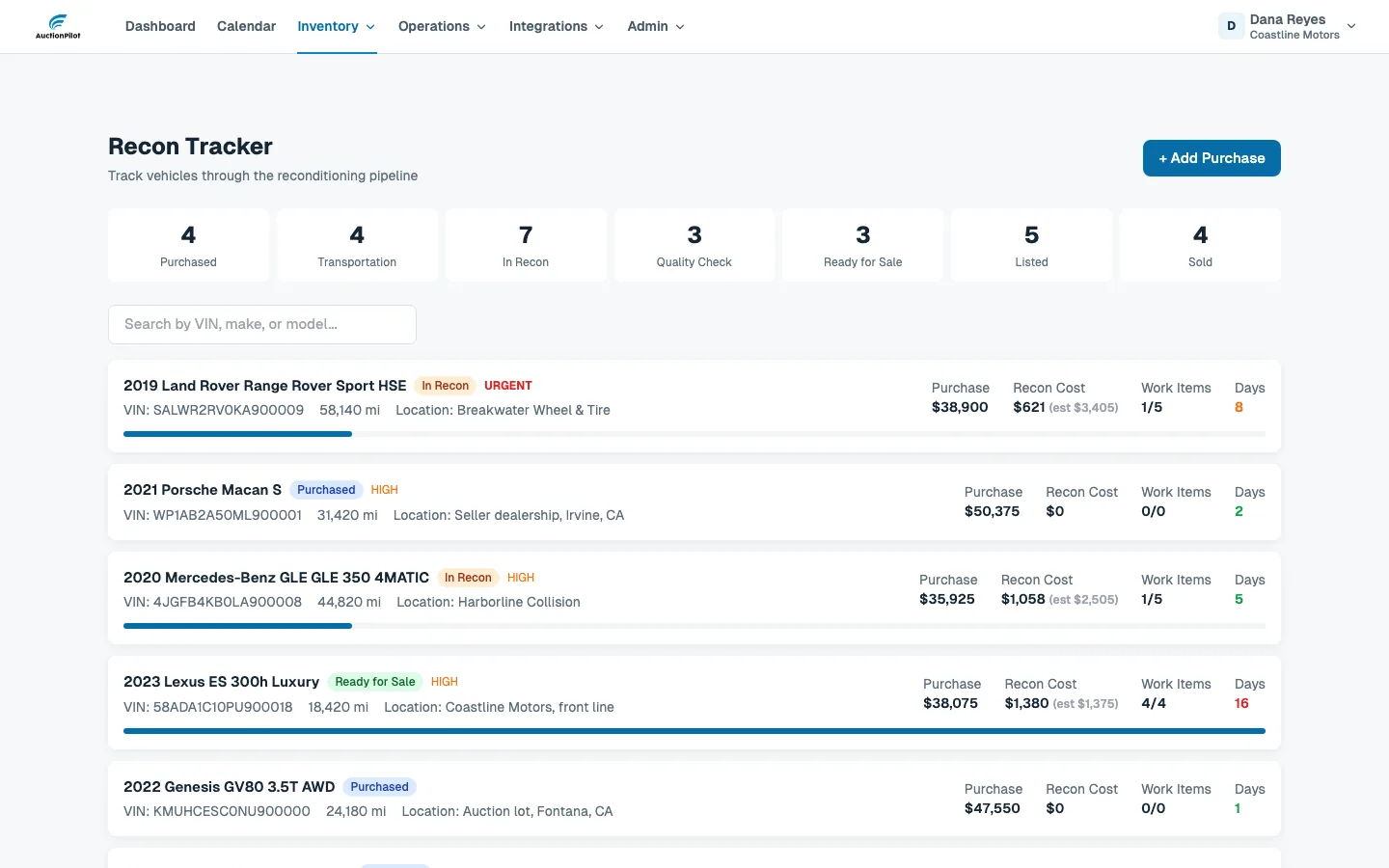
Recon pipeline
Every car from purchase to sold, by stage, with its purchase price, recon cost, and open work. Days in recon turn orange after a week and red after two.
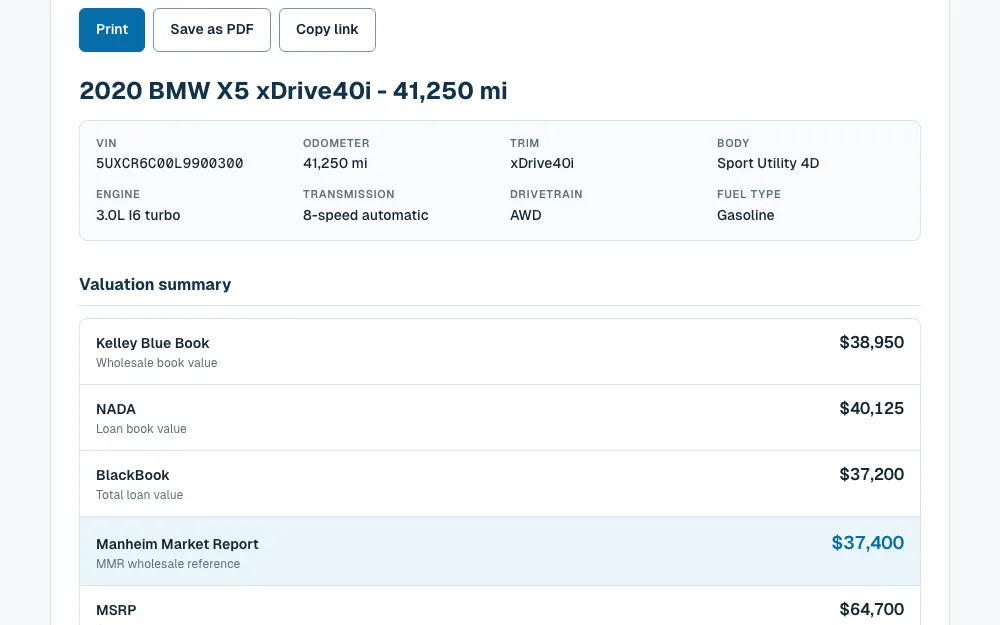
Appraisals
Book values and the auction reference price for a car on one report, ready to print, save as a PDF, or share by link.
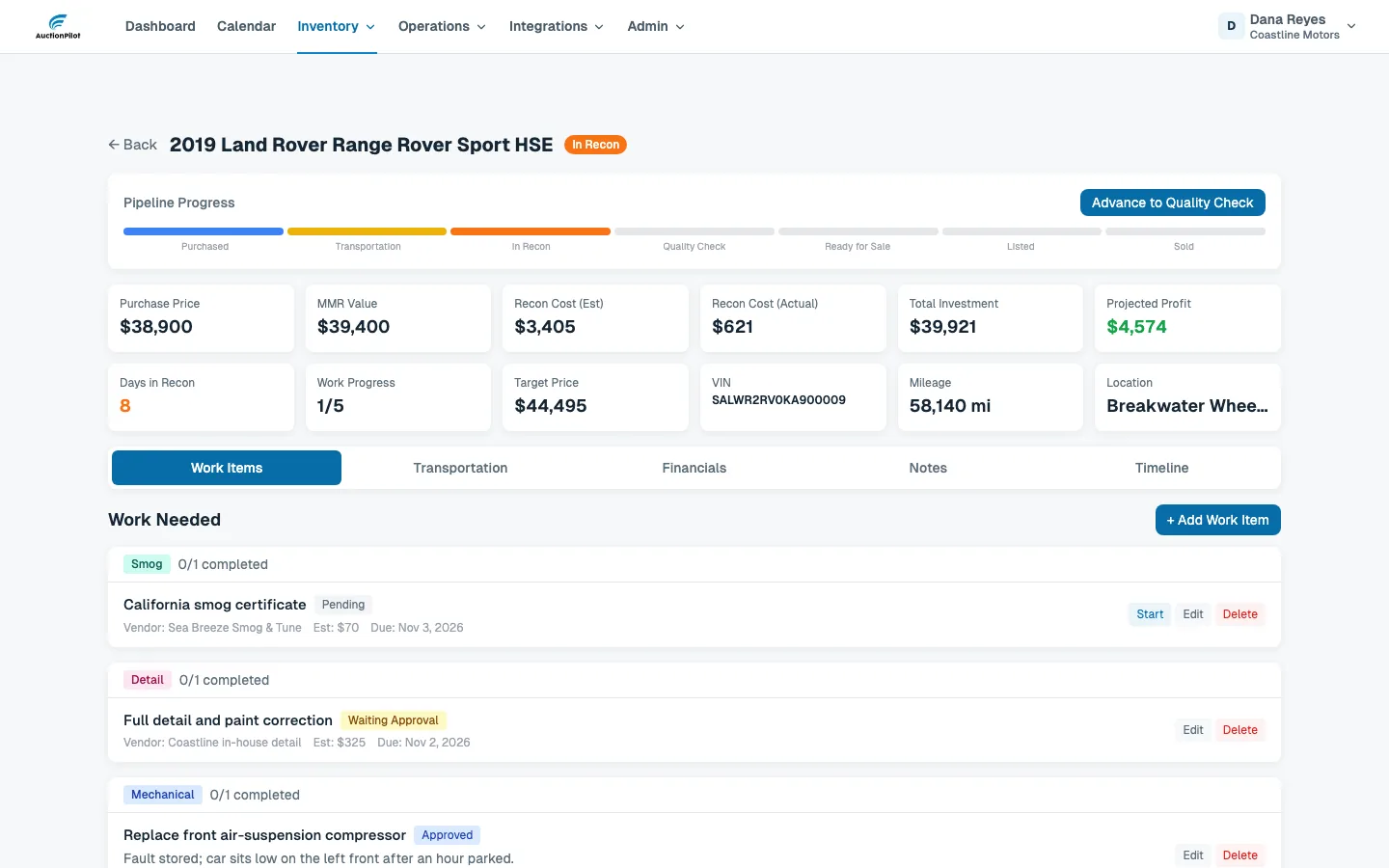
One car’s recon
Each car shows its progress through the pipeline, recon cost against the estimate, and projected profit, with every work item’s vendor and due date.
Real screens from dealership software we built, shown with an invented demo dealership, Coastline Motors. Every name, VIN, and amount is made up.
Who does the work
A workflow should not become another remote person to supervise.
The people who build your app stay with it. You work with one accountable contact, not a roster of contractors.
Developers
Build your app, connect it to the systems you already use, and change it as your work changes.
Operations team
Works the daily queue inside your app: follow-ups, record updates, vendor and guest messages, and tickets.
Workflow lead
Reviews what is slipping with your managers and proposes what to change next.
What stays with you
Our team runs the routine work. These stay with your managers.
The exact line is written down for each job before we start, along with which systems we use and what data we can see.
- Pricing and negotiation
- Spend, credit, and banking approvals
- Signatures and any licensed or regulated work
- Physical work on the vehicles
- Final decisions on customers, vehicles, and vendors
How to start
Start with one job.
- 01
Book a 30-minute call
Tell us about one job that keeps pulling your managers back in: returns, tolls, recon, listings, or guest messages.
- 02
We map it and build the first version
Together we write down who does what, which decisions stay with you, and what the app needs to show.
- 03
Our team runs it, and we review it together
It starts as a paid pilot on that one job. We fix what is slipping before adding the next.
Start with one workflow
Show us the job that eats your managers’ day.
We’ll look at how it runs today, what software and our team could take on, and what should stay with you.